60+ Years of Power Engineering  ·  ISO 9001:2015 & ISO 13485 Certified Manufacturing
0%

Choosing Rackmount Power Distribution Units in 2026 means matching the unit to your actual rack, not just its outlet count. A PDU that looks suitable on a product page may have the wrong input plug, mounting depth, or current rating for your installation. Check the rack’s available space and power supply before comparing features.

Start with the equipment you need to connect. Count outlets, note plug types, and estimate the combined load from server labels or manufacturer specifications. Confirm the PDU’s voltage, phase, and rated capacity match the circuit. Leave room for growth, but do not treat a larger rating as permission to exceed the circuit’s limits. Small details matter.

Then consider how the unit will be monitored and maintained. Basic models distribute power; metered versions show consumption locally, while network-connected models can support remote monitoring. Switched outlets may help authorized staff manage devices, but they also add configuration needs. A few watts of visibility can be useful. So can fewer features.

In a busy rack, cable direction, outlet spacing, and cord length affect access as much as specifications do. Measure around rails, doors, and neighboring equipment, and verify regional safety approvals with the manufacturer. Product sheets can be incomplete, and terminology varies between vendors. Pause and check. This guide compares practical selection factors so you can choose a PDU that fits today’s load, supports sensible expansion, and remains manageable after installation.
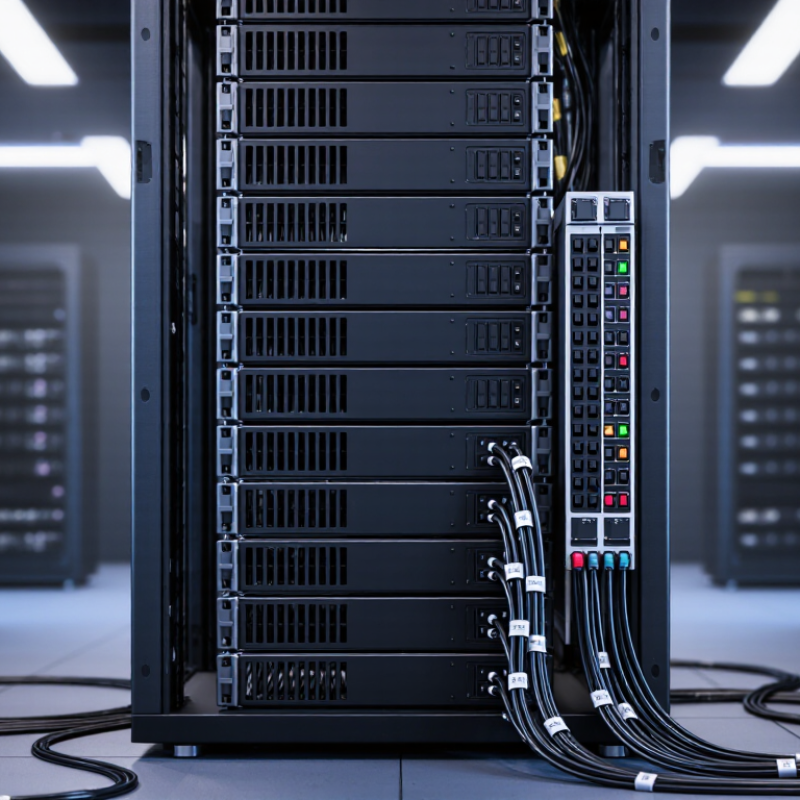
How to Choose Rackmount Power Distribution Units in 2026?

Define Rack Load and Apply the NEC 80% Limit for Continuous Loads

Before choosing a rackmount PDU, estimate the rack’s real operating load. Add the input current of equipment expected to run at the same time, including servers, storage, and network switches. Use measured readings when available; nameplate figures can overstate everyday demand, but startup peaks still matter. Check each feed separately. A balanced total can hide an overloaded circuit.

For loads expected to run for three hours or more, the NEC generally treats them as continuous. On a typical 20-amp circuit not rated for 100% continuous loading, plan around 16 amps of continuous load: 20 amps × 80%. At 120 volts, that is about 1,920 watts for a resistive load. Real IT equipment has power-factor and voltage considerations, so watts alone may not tell the whole story. Verify the applicable code edition, circuit rating, PDU input rating, and manufacturer instructions with a qualified electrical professional.

Tips: Leave headroom. Check current on each phase, not just the rack total. Revisit readings after adding equipment; my first estimate is rarely the last one. A properly listed 100%-rated assembly may follow different sizing rules, so do not assume every setup uses the same limit.

Choosing Rackmount PDUs: Apply the NEC 80% Limit

Compare circuit nameplate capacity with the maximum continuous-load capacity for common 208 V single-phase circuits. For a standard 80%-rated circuit, continuous loads are generally limited to 80% of the circuit rating.

Values are calculated as volts × amps, assuming unity power factor: 15 A → 2,496 W total / 1,997 W continuous; 20 A → 4,160 W / 3,328 W; 30 A → 6,240 W / 4,992 W. Actual usable rack load depends on power factor, circuit configuration, equipment ratings, applicable code requirements, and local authority approval. Confirm the circuit and PDU ratings before deployment.

Match PDU Input to Site Voltage, Phase, and Available Branch Circuits

How to Choose Rackmount Power Distribution Units in 2026?

Match PDU Input to Site Voltage, Phase, and Available Branch Circuits

Before selecting a rackmount PDU, check the voltage and phase at the actual rack outlets—not just the building’s service. A single-phase PDU and a three-phase PDU may use different connectors and distribute load differently. Read the outlet label, verify the breaker rating, and compare both with the PDU’s input specification. A plug that fits is not proof of electrical compatibility.

Estimate demand from the equipment nameplates. For single-phase loads, current is approximately watts divided by volts. For three-phase loads, use watts divided by √3, line-to-line voltage, and power factor. Then check the number of available branch circuits and their permitted continuous load. Leave room for growth and uneven loading. The arithmetic can look reassuring; the panel schedule may tell a different story.

Uptime Institute’s 2024 Annual Outage Analysis reported that power-related issues accounted for 54% of impactful data-center outages. That figure makes input matching a reliability concern, not a connector detail. Have a qualified electrical professional confirm circuit capacity, receptacle type, and protection before ordering. Site records can be outdated. Verify them.

Choose Outlet Types: IEC 60320 C13 at 10 A or C19 at 16 A

How to Choose Rackmount Power Distribution Units in 2026?

IEC 60320 C13 outlets are typically rated for 10 A, while C19 outlets support up to 16 A under applicable IEC conditions. Choose according to the equipment inlet, not the outlet count alone.

A network switch with a C14 inlet needs a C13 connection; a server with a C20 inlet generally needs C19. Check the device label, power cord rating, and PDU specifications together. The lowest-rated part sets the practical limit. Simple, but easy to overlook.

The International Energy Agency’s Electricity 2024 report estimated data centre electricity use at about 460 TWh in 2022, with demand potentially reaching 620–1,050 TWh by 2026. That forecast makes careful power planning more important, but it does not mean every rack needs C19 outlets.

Count the actual loads and allow headroom for startup demand and future equipment. A 16 A outlet cannot make an undersized branch circuit safe. And yes, labels can mislead: verify voltage, regional ratings, and operating conditions before ordering.

A measured rack audit beats guessing from a product list.

Select Metering and Switching to Meet Monitoring and Control Needs

How to Choose Rackmount Power Distribution Units in 2026?
Select Metering and Switching to Meet Monitoring and Control Needs

Metering helps teams see how rack power is actually used, rather than relying on estimates. For a server rack, input-level readings show total load, while outlet-level readings can reveal which devices draw the most power. Check that the unit reports useful values, such as current, voltage, power, and energy, in a format your monitoring system can read. Clear displays matter, too. A technician checking a crowded cabinet should not have to guess which reading belongs to which outlet.

Switching provides remote control for individual outlets or outlet groups. It can help restart an unresponsive device or sequence equipment after maintenance. Confirm that controls include access permissions and an event log, and consider whether accidental shutdowns could interrupt critical services. Remote switching is useful, but it is not a substitute for a recovery plan. I would avoid paying for every feature by default; the right level of control depends on how the rack is operated.

Tips: Match metering detail to your troubleshooting needs. Check network compatibility before installation, and label outlet assignments at both ends. Test switching procedures on noncritical equipment first. Small details can be missed during a rushed deployment.

How to Choose Rackmount Power Distribution Units in 2026? — Select Metering and Switching to Meet Monitoring and Control Needs
Deployment Profile Typical Input Outlet Configuration Recommended Metering Switching and Control Best Fit
Small network or edge rack 120 V, 15–20 A, single-phase Commonly 8–16 outlets; outlet types depend on the local power system Local display for input current and load; network monitoring if the rack is unattended Basic remote outlet control is useful for restarting individual devices; retain local access Small IT closets, branch offices, and edge deployments with a limited number of devices
General-purpose server rack 208–240 V, 20–30 A, single-phase Commonly 12–24 outlets, often a mix of higher-current and lower-current outlet types Input-level metering for total load, voltage, and current; network reporting for capacity planning Switched outlets or outlet groups for remote recovery and staged power-up Typical enterprise racks with servers, storage, and network equipment
High-density rack 208 V, 30–60 A, three-phase, where supported by the facility Outlet count and types vary; confirm each connected device’s plug and input requirements Per-outlet or per-branch-circuit metering to identify load distribution and emerging hot spots Outlet-level switching for targeted control; use access controls and change logging Compute-intensive racks where detailed load visibility and remote intervention are important
Dual-feed rack Two independent feeds, commonly A and B, each sized to the site’s power design Separate outlet groups for each feed; verify that redundant equipment uses independent supplies Meter each feed independently and compare load balance between A and B Switching should preserve feed separation; avoid controls that can unintentionally interrupt both paths Critical infrastructure designed for redundant power paths
Monitoring-focused installation Match the voltage, phase, and current rating to the rack’s branch circuit Choose outlet types and quantity based on the equipment inventory and planned growth Networked input metering; add outlet-level measurement when device-level visibility is needed Switched outlets are optional when remote power cycling is not required Sites that need capacity reporting, alerts, and usage trends without routine remote control
Control-focused installation Match the rating to the circuit and account for the expected connected load Provide enough individually controllable outlets for the devices that require remote recovery At minimum, monitor total input load; use outlet-level readings when troubleshooting individual devices Use authenticated, role-based access, outlet sequencing, and event logs where available Remote or lightly staffed sites where controlled power cycling can reduce service visits

Selection note: These are general planning examples, not product ratings. Confirm the PDU nameplate, outlet compatibility, facility voltage and phase, branch-circuit limits, local electrical requirements, and the connected equipment’s power specifications before installation.

Verify Rack Fit, Network Compatibility, and Applicable Safety Standards

How to Choose Rackmount Power Distribution Units in 2026?

A rackmount PDU must fit the cabinet and the equipment around it. Check the rack’s mounting depth, available U-space, and rear-door clearance before ordering. Measure twice. Account for plug heads, cable bends, and airflow; a unit can fit on paper yet obstruct nearby hardware. Compare its rated voltage, current, and outlet layout with the load and branch circuit. Leave suitable capacity for startup demand and future equipment, rather than sizing to today’s average draw.

Network features matter when power needs remote monitoring or controlled outlet switching. Confirm support for the protocols your management system actually uses, such as SNMP or HTTPS, and check whether IPv6 or an API is required. Ask how firmware updates, user access, and event logs are handled. A feature list is not proof of compatibility; verify details against your network configuration and security requirements. Test monitoring with a representative switch or server before deployment.

Review safety documentation for the exact model and installation region. Check applicable standards, such as IEC 62368-1 or UL 62368-1 where relevant, and confirm that certification covers the intended use. Requirements can differ by market and product category, so consult the supplier’s technical documents and a qualified electrical professional when details are unclear. I would not treat a familiar label as a substitute for checking ratings, grounding, and installation instructions. One overlooked cable route can spoil an otherwise careful rack plan.

FAQS

How should I estimate a rack’s operating load?

Add the current draw of devices expected to run together, including servers, storage, and network switches. Use measured readings when possible. Startup peaks still matter.

What does the 80% limit mean for a 20-amp circuit?

For continuous loads on a typical circuit not rated for 100% continuous loading, plan around 16 amps. At 120 volts, that is about 1,920 watts for a resistive load. IT equipment may differ.

Why should I check each power feed separately?

A rack’s combined load can seem acceptable while one feed is overloaded. Check current on each feed and phase. Leave headroom.

How do I confirm that a PDU matches the site supply?

Check voltage, phase, breaker rating, receptacle type, and available branch circuits at the rack. Compare them with the PDU’s input specifications. A plug that fits proves little.

Do watts alone tell me whether a PDU can handle the load?

No. Power factor and voltage affect real equipment demand. For three-phase loads, calculations also depend on line-to-line voltage and the square root of three.

What metering features are useful in a server rack?

Input readings show total rack demand, while outlet readings help identify individual device use. Look for current, voltage, power, and energy readings. Clear labels help during checks.

When is remote outlet switching useful?

It can restart an unresponsive device or sequence equipment after maintenance. Check access permissions and event logs, and test the process on noncritical equipment first. It is not a recovery plan.

How often should I review rack power estimates?

Recheck readings after adding equipment and compare them with site records. Those records may be outdated. My first estimate is rarely the last.

Conclusion

Choosing Rackmount Power Distribution Units starts with calculating the expected rack load and identifying which devices will run continuously. Apply the NEC 80% guideline to continuous loads when sizing capacity, then confirm that the PDU’s input matches the site’s voltage, phase, and available branch circuits. This helps prevent capacity mismatches and supports reliable power delivery.

Next, select outlet types that fit the equipment: IEC 60320 C13 outlets are commonly rated for 10 A, while C19 outlets are commonly rated for 16 A. Decide whether basic, metered, or switched functionality best suits your monitoring and control needs. Before purchasing, verify that the unit fits the rack, its network features work with your monitoring environment, and its certifications meet applicable safety requirements. These checks help ensure the PDU is compatible with both the installation and the equipment it will serve.


Amelia

Amelia

Amelia is a dedicated marketing professional with a strong understanding of the company’s products, customers, and industry landscape. With a thoughtful, research-driven approach, she transforms complex product information into clear, practical, and engaging content that helps readers make informed......